> For the complete documentation index, see [llms.txt](https://docs.talus.network/llms.txt). Markdown versions of documentation pages are available by appending `.md` to page URLs; this page is available as [Markdown](https://docs.talus.network/talus-docs-v2.1.0/guides/vision-explorer/checking-agents.md).

# Checking Vision Agents

{% hint style="info" %}
**Audience:** Anyone deciding whether to trust, run, or copy an agent — theirs or someone else's.

**Goal:** Read an agent's page: its vault, its skills and their committed policies, and its run history.
{% endhint %}

### Finding an agent

Three ways in:

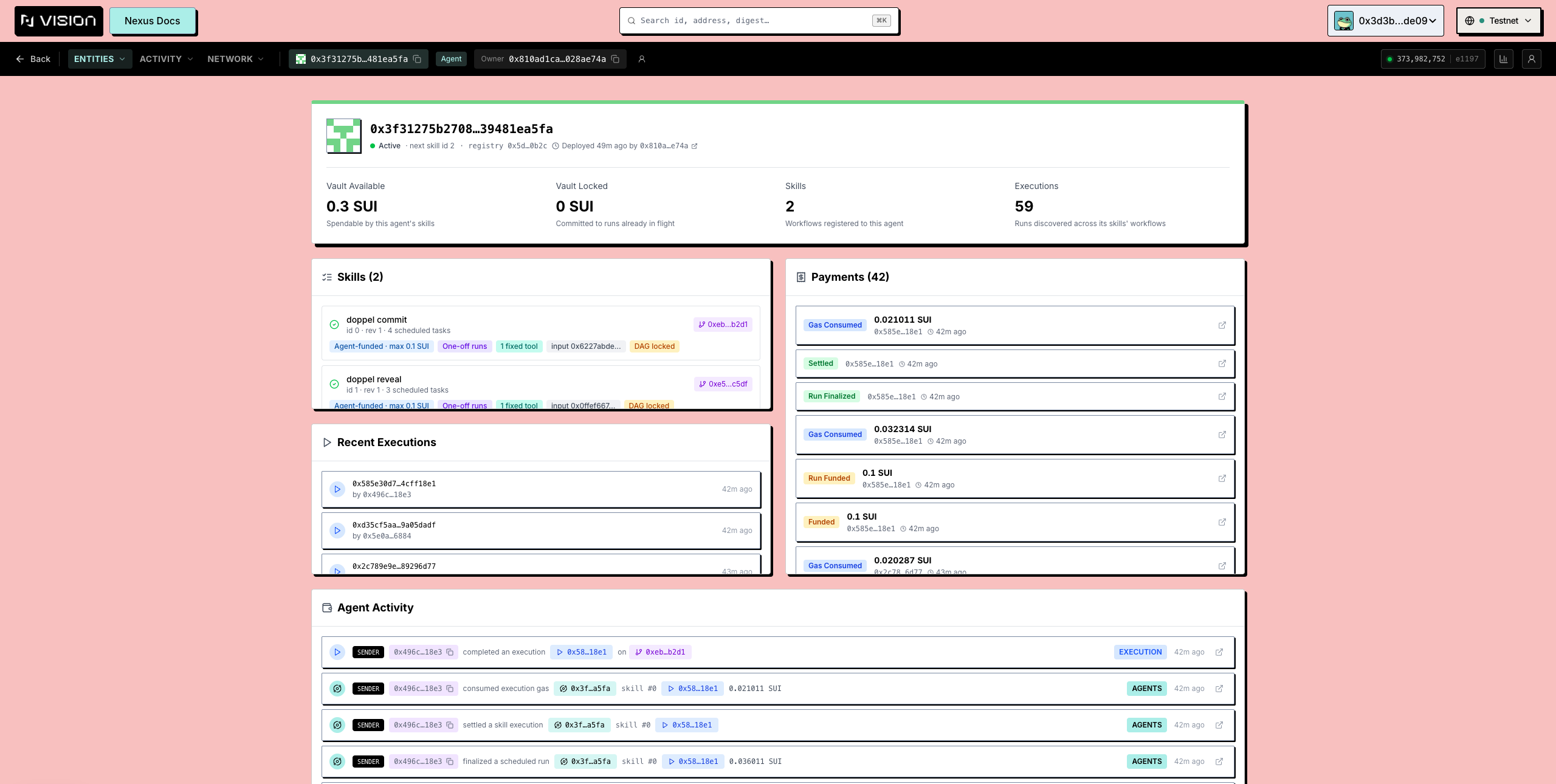
* **Entities → Agents** lists every agent on the network, newest first.
* Paste an agent id into the [search](/talus-docs-v2.1.0/guides/vision-explorer/search.md).
* From anywhere an agent is named — an execution's details, a task, a profile — its id links here.

Each list row shows the agent's id and **Creator**, its **vault balance** (SUI), how many **skills** it has, its registry status, and when it was created. One row is special — the **protocol default DAG executor**, used when a caller explicitly selects the default-agent path (for example the CLI `--dag-id` flow); it is labelled as such. That selection still requires the matching inputs, funding, and scheduler admission.

The status badge has four values, and the fourth is the important one: **Active**, **Inactive**, **Not registered**, and **Status unavailable**. A failed registry read used to render as "Not registered" — a confident claim about the chain made from a dropped request; **Status unavailable** is what a failed read says now.

<figure><img src="https://3395888576-files.gitbook.io/~/files/v0/b/gitbook-x-prod.appspot.com/o/spaces%2FLPrUNT846cHDCVQcRD3f%2Fuploads%2Fgit-blob-dfa7332768a7c8c98c87ae1b69fe4c72d4661ca0%2Fexplorer-agents-list.png?alt=media" alt="The Agents tab listing agents with vault, skill count and status"><figcaption><p>The Agents tab. The status badge separates Not registered from Status unavailable — a failed read is never a claim about the chain.</p></figcaption></figure>

#### The agent page

`/explorer/agent/<agentId>`:

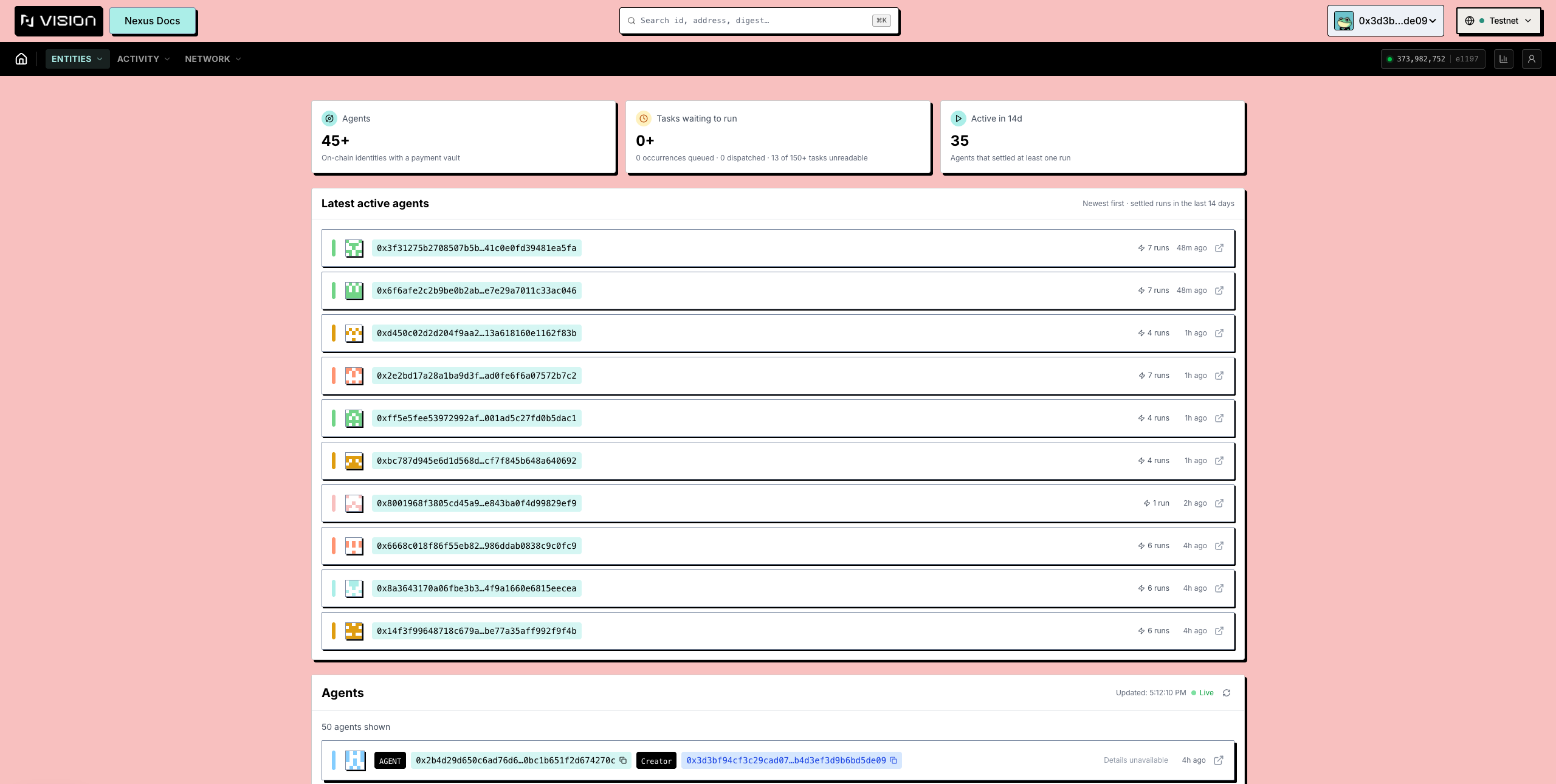
* **The hero** — id, creator (linking to the creation transaction), status, and the retained UI split into **Vault Available** and **Vault Locked**. Treat the **Vault Locked** card as snapshot/deployment-specific presentation, not a protocol invariant: the canonical live balance is `AgentPaymentVault.available_balance`, while committed run funds move into separate `TaskPaymentReserve` and `ExecutionPayment` custody. Read those Task/Execution payment objects to explain in-flight affordability.
* **Skills** — one card per skill:
  * its name and the **DAG** it is bound to (linking to [that workflow's page](/talus-docs-v2.1.0/guides/vision-explorer/checking-workflows.md));
  * its **payment policy** — **User-funded** (the submitting signer supplies the address-funded Task reserve; the recorded `refund_recipient` may differ) or **AgentFunded** (the vault pays, with the per-run ceiling shown);
  * its **schedule policy** — **Once** (one-off runs) or recurring, with the minimum interval;
  * its **fixed tools** (or **No fixed tools**) — required Tool FQNs recorded by the skill; verify the selected DAG vertex, Tool ID, registry ID, and schema separately because the registration check does not itself guarantee DAG membership;
  * its **revision** — bumped on every binding or policy change, so runs in flight stay tied to the rules in force when they started;
  * any **DAG locked** marker exposed by the retained UI is historical presentation evidence, not proof that an open Task freezes registry mutation; Task admission rechecks each snapshot against the skill revision, binding, policy, and active flag. See [Scheduling](/talus-docs-v2.1.0/concepts/12-scheduling.md) for the durable Task and Occurrence boundary.
* **Agent Activity** — the agent's recent executions, each linking to [its trace](/talus-docs-v2.1.0/guides/vision-explorer/inspecting-runs.md).

Reading a skill card before running someone's agent tells you exactly what you are signing up for: who pays, how often it may run, and which workflow revision you get.

<figure><img src="https://3395888576-files.gitbook.io/~/files/v0/b/gitbook-x-prod.appspot.com/o/spaces%2FLPrUNT846cHDCVQcRD3f%2Fuploads%2Fgit-blob-d812c69d725f1c58636f4ca724242e36455ef80d%2Fexplorer-agent-detail.png?alt=media" alt="An agent detail page with vault split and skill cards"><figcaption><p>Retained snapshot/deployment UI evidence: the vault cards are not a substitute for live `AgentPaymentVault.available_balance`, `TaskPaymentReserve`, or `ExecutionPayment` reads.</p></figcaption></figure>

#### The skill page

`/explorer/skill/<agentId>/<skillId>` — one skill's committed contract in full: **Agent**, **Payment Policy**, **Schedule Policy**, **Interface Revision**, **Input commitment** (the fingerprint of the inputs it accepts, so a run cannot quietly change shape), and **Scheduled Tasks** (useful obligation context, but not proof that registry mutation is blocked), plus the skill's runs. Reached from the agent page's skill cards and from execution details — there is no Skills tab, because a skill is one row of one agent's table.

#### Owner view vs. public view

This page is what *anyone* sees. Owners use wallet-authorized CLI or SDK flows for mutations: [Build an Agent Package](/talus-docs-v2.1.0/guides/agent-usage/build-agent-package.md), [Register a Skill Package](/talus-docs-v2.1.0/guides/agent-usage/register-skill-package.md), and [Execute and Settle an Agent](/talus-docs-v2.1.0/guides/agent-usage/execute-and-settle-agent.md) cover the corresponding durable objects.

Two kinds of agent you can read but not write, and the page says which:

* **Someone else's agent** — you can execute the skills whose payment policy lets a caller pay, and copy its workflow as a template; everything else needs the owner's wallet.
* **A wrapped agent** — held inside a Move package's own object rather than by a wallet; deposits and registration go through that package's functions, not through Vision.


---

# Agent Instructions
This documentation is published with GitBook. GitBook is the documentation platform designed so that both humans and AI agents can read, navigate, and reason over technical content effectively. Learn more at gitbook.com.

## Querying This Documentation
If you need additional information that is not directly available in this page, you can query the documentation dynamically by asking a question.

Perform an HTTP GET request on the following URL with the `ask` and `goal` query parameters:

```
GET https://docs.talus.network/talus-docs-v2.1.0/guides/vision-explorer/checking-agents.md?ask=<question>&goal=<user_goal>
```

`ask` is the immediate question: it should be specific, self-contained, and written in natural language.
`goal` is what the user is ultimately trying to achieve, the reason they need the answer. Sharing it helps GitBook give you a better, more relevant answer. A goal is most helpful when it describes the outcome the user wants rather than restating the question. For example, with `ask=how do I create an API token`, a goal like `build a script that syncs our docs to a CMS` lets GitBook tailor the answer to that use case.

The response will contain a direct answer to the question and relevant excerpts and sources from the documentation.

Use this mechanism when the answer is not explicitly present in the current page, you need clarification or additional context, or you want to retrieve related documentation sections.